Blog

  • IPTV for UK Households: What to Consider Before Switching

    IPTV for UK Households: What to Consider Before Switching

    Updated August 2026 · 10 min read

    UK households switching to IPTV face a slightly different set of considerations than elsewhere — different broadband infrastructure, different typical household setups, and different expectations coming from traditional UK TV packages. If you’re in the UK and weighing whether IPTV makes sense for your household, here’s what actually matters for your situation specifically.

    London skyline representing UK households considering IPTV
    UK broadband infrastructure is generally strong, which makes IPTV a realistic option for most households.

    UK Broadband: A Genuine Advantage

    UK fibre broadband coverage has expanded significantly in recent years, and most urban and suburban households now have access to connections well above the 25 Mbps baseline needed for smooth 4K streaming. This is genuinely good news — connection quality tends to be less of a limiting factor for UK households than it is in some other regions.

    What to Check Before Switching

    • Your actual connection type. Full fibre and cable connections handle IPTV more reliably than older ADSL lines, which are still common in some areas.
    • Router placement relative to your main TV. Even strong UK broadband can underperform if your router is far from where you actually watch.
    • Peak-hour performance, particularly evenings, which is when most UK households are online simultaneously.

    Device Compatibility for UK Households

    The good news is that device compatibility works the same in the UK as anywhere else — Android TV boxes, Fire TV Sticks, Smart TVs, phones, and tablets all work identically. See our full setup guides for a device-by-device breakdown that applies regardless of region.

    Living room streaming setup suitable for UK households
    The same devices that work everywhere else work identically for UK setups.

    Testing Before You Commit

    Regardless of region, the same principle applies: test thoroughly before paying anything. Our free trial works the same way for UK customers as anywhere else — guided setup over WhatsApp, no card required, real testing on your own device before you decide.

    Time Zone Considerations

    If you’re watching content scheduled in a different time zone than your own, factor this into your testing — peak load on any streaming infrastructure typically follows evening hours in whichever region the majority of concurrent viewers are located, which can occasionally affect performance at unexpected local times.
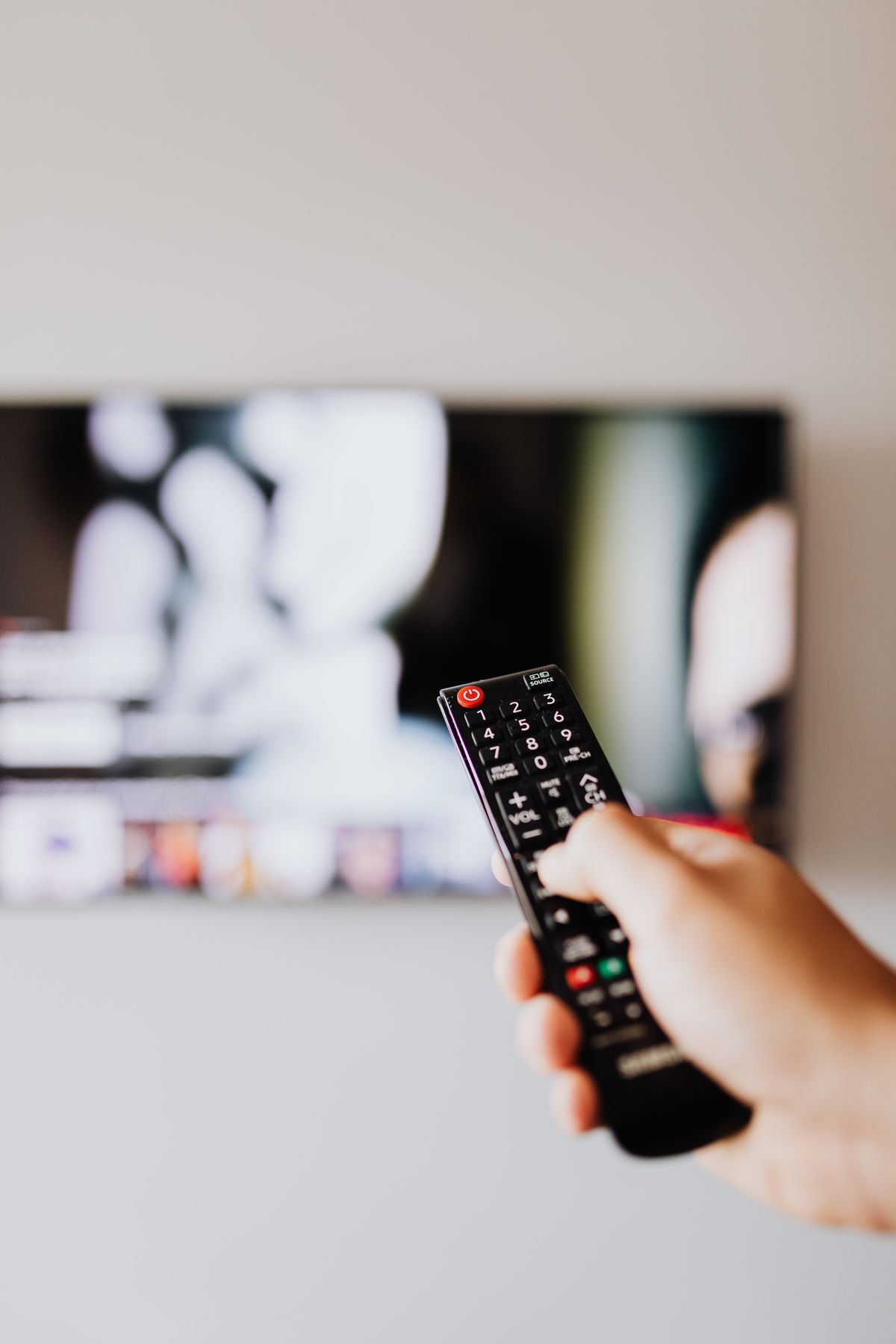
    Testing a streaming setup with a remote control
    Test at the actual times you’ll be watching, not just whenever is convenient.

    Getting Started

    Message us on WhatsApp with your device and we’ll walk you through setup the same way we would for any customer, regardless of location.

    Frequently Asked Questions

    Does IPTV work well with UK broadband?Yes — UK fibre coverage is strong, making most households well-suited for smooth streaming.

    Do I need different hardware in the UK?No — standard devices (Android TV, Fire Stick, Smart TVs) work identically everywhere.

    Can I test before subscribing from the UK?Yes — the free trial process works the same regardless of your location.

    The Bottom Line

    UK households are generally well-positioned for IPTV thanks to strong broadband infrastructure. Check your specific connection type and router placement, test thoroughly during a trial, and the transition should be smooth.

    Ready to test it from the UK?
    Start a free trial on WhatsApp →

    EWritten by the EyeIPTV Team
    We support customers across multiple regions every week — kept current as of August 2026.

  • Free Trial vs Money-Back Guarantee: The Real IPTV Difference

    Free Trial vs Money-Back Guarantee: The Real IPTV Difference

    Updated August 2026 · 11 min read

    Providers protect new customers in one of two main ways: a free trial before you pay, or a money-back guarantee after you pay. They sound similar, and both are meant to reduce your risk, but they work completely differently in practice — and one of them puts far less on the line for you. Let’s break down the real difference, so you know exactly what you’re agreeing to before you commit to either.

    Agreement and trust between provider and customer over subscription terms
    Both models are meant to build trust — but they put risk in very different places.

    How a Free Trial Works

    You test the actual service before any money changes hands. No card required, no payment on file, nothing to remember to cancel. If you like it, you subscribe. If you don’t, you simply stop — there was never a transaction to reverse in the first place.

    How a Money-Back Guarantee Works

    You pay first, then have a window — often 24 hours to 7 days — to request a refund if you’re not satisfied. This sounds similar to a trial, but it puts you in a fundamentally different position: your money has already left your account, and you’re now relying on the provider’s refund process actually working smoothly.

    The Real Difference: Where the Risk Sits

    Free TrialMoney-Back Guarantee
    Card required upfrontNoYes
    Money changes hands before testingNoYes
    Risk if unsatisfiedNone — you simply stopDepends on refund process working smoothly
    Requires remembering a deadlineNoOften yes

    A money-back guarantee isn’t necessarily dishonest — plenty of legitimate businesses use this model successfully. But it does require more trust upfront from you, and it depends entirely on the refund process actually being smooth and fast when you need it, which isn’t always the case.

    Comparing the terms of a trial versus a guarantee before subscribing
    Read the actual terms of either model before assuming they protect you the same way.

    Questions to Ask If a Provider Only Offers a Guarantee

    1. How exactly do I request a refund, and how long does it take? Get a specific answer, not a vague one.
    2. Is the refund window clearly stated, with no hidden conditions? Some guarantees quietly exclude common reasons for dissatisfaction.
    3. What happens if I miss the deadline by a day? A confident provider should have a straightforward answer.

    If a provider can’t answer these clearly before you’ve paid, that’s worth taking seriously as a signal about how smoothly the actual refund process will go.

    Why We Chose a Free Trial Instead

    We’d rather you never need a refund process at all. That’s why EyeIPTV’s trial requires no card and no payment upfront — you test the actual service first, and only pay once you’re already confident it’s right for you. It removes the entire question of “will the refund actually work” by making sure there’s nothing to refund in the first place.

    Relaxed testing of a service with no financial risk involved
    No card, no payment, nothing to reverse — just a real test.

    Frequently Asked Questions

    Is a free trial better than a money-back guarantee?Generally yes, from a risk perspective — a trial means no money changes hands until you’ve already decided you want to continue.

    Are money-back guarantees always untrustworthy?No — plenty are legitimate. Just confirm the exact process and timeline before paying.

    Does EyeIPTV require a card for the free trial?No — no card, no payment, nothing required upfront.

    The Bottom Line

    A genuine free trial puts less risk on you than a money-back guarantee, simply because no money moves until you’re already confident. If a provider only offers a guarantee, ask specific questions about the refund process before you pay — and if they offer a real trial instead, that’s usually the safer starting point.

    Test first, pay only if you’re confident.
    Start a free trial on WhatsApp →

    EWritten by the EyeIPTV Team
    We built our trial to remove this risk entirely — kept current as of August 2026.

  • IPTV Bitrate and Bandwidth Explained: What the Numbers Mean

    IPTV Bitrate and Bandwidth Explained: What the Numbers Mean

    Updated August 2026 · 12 min read

    “25 Mbps recommended” gets thrown around a lot in IPTV guides, including our own, but rarely explained. If you actually want to understand what’s happening technically — why some numbers matter more than others, and how to interpret them for your own setup — this is the deeper dive. No fluff, just the real mechanics of IPTV bitrate and bandwidth.

    Home network router managing bandwidth for IPTV streaming
    Every stream competing for your bandwidth pulls from the same total pool.

    Bitrate vs Bandwidth: Two Different Things

    These get used interchangeably, but they’re not the same. Bandwidth is your internet connection’s total capacity — how much data can move through it per second. Bitrate is how much data a specific stream actually uses per second while playing. Your bandwidth needs to comfortably exceed the combined bitrate of everything you’re streaming at once, with room to spare.

    Typical Bitrates by Quality Level

    QualityTypical BitrateWhat It Means Practically
    SD1-3 MbpsUsable on almost any connection
    HD (720p)3-5 MbpsComfortable on most home connections
    Full HD (1080p)5-8 MbpsNeeds a stable, decent connection
    4K (Ultra HD)15-25 MbpsRequires a genuinely strong, stable connection

    These are per-stream numbers. If two people in your household are both streaming 4K content at once, you’re looking at needing double the bitrate in available bandwidth — which is exactly why household connection planning matters so much.

    Why “Enough” Bandwidth Isn’t Always Enough

    Your internet provider’s advertised speed is a maximum, not a guarantee, and it’s shared across your entire household in real time. A connection rated for 100 Mbps can still struggle with a single 4K stream if something else — a large download, a video call, another household member streaming — is competing for that same bandwidth at the same moment.

    Analyzing network performance data closely
    Advertised speed and real, available speed at any given moment aren’t always the same thing.

    What Actually Affects Real-World Bitrate Delivery

    • Wi-Fi vs wired. A wired connection delivers your available bandwidth more reliably than Wi-Fi, which fluctuates with interference and distance.
    • Router quality and age. Older routers can struggle to handle multiple simultaneous high-bitrate streams even if your internet plan technically supports it.
    • Adaptive bitrate streaming. Good streaming systems automatically adjust quality in real time based on your available bandwidth at that moment, rather than failing outright.

    How to Use This Information Practically

    Don’t just check if your plan meets the minimum — check if it comfortably exceeds your household’s total simultaneous need, with meaningful headroom. If you’re seeing quality drops or buffering despite having “enough” bandwidth on paper, see our buffering troubleshooting guide for the practical next steps.

    HDMI connection as part of a full streaming bandwidth chain
    Every link in the chain, from your ISP to your cable, plays a role in what actually reaches your screen.

    Testing Your Real Numbers

    The best way to know your real-world numbers is to test during a free trial, during your actual peak hours, with your actual devices active. That tells you far more than any theoretical calculation.

    Frequently Asked Questions

    What’s the difference between bitrate and bandwidth?Bandwidth is your connection’s total capacity; bitrate is how much data a specific stream uses per second.

    How much bitrate does 4K IPTV need?Typically 15-25 Mbps per stream, with more needed if multiple devices stream simultaneously.

    Why does my “fast” connection still buffer sometimes?Advertised speed is a maximum, shared in real time across everything using your network at that moment.

    The Bottom Line

    Bitrate and bandwidth aren’t the same thing, and understanding the difference helps you diagnose issues instead of guessing. Plan for your household’s real, simultaneous need with genuine headroom — not just the bare minimum on paper.

    Test your real-world numbers yourself.
    Start a free trial on WhatsApp →
    EWritten by the EyeIPTV Team
    We help customers understand their real bandwidth needs every week — kept current as of August 2026.

  • Does IPTV Support Multiple Languages and Subtitles?

    Does IPTV Support Multiple Languages and Subtitles?

    Updated August 2026 · 10 min read

    One question that comes up more than people expect, especially in multilingual households: does IPTV support multiple languages and subtitles properly? It’s a fair thing to check before switching, since language support varies a lot between apps and setups. Let’s go through how language and subtitle support actually works on IPTV, and what to check before assuming your household’s needs are covered.

    International flags representing multiple languages supported on IPTV
    Language support on IPTV depends on the app and content, not a single universal setting.

    How Language Support Actually Works

    IPTV itself is just a delivery method — it doesn’t inherently limit or guarantee any particular language. What actually determines language and subtitle availability is a combination of the content itself (whether multiple audio tracks or subtitle files exist for it) and whether your player app supports switching between them properly.

    What to Check for Multi-Language Support

    Multiple Audio Tracks

    Some content includes multiple audio language options built in, similar to how a DVD or Blu-ray might. Whether this is available depends on the specific content, not the IPTV technology itself.

    Subtitle File Support

    Most modern player apps — including TiviMate, IPTV Smarters Pro, and XCIPTV — support standard subtitle formats. If subtitles matter to you, this is worth confirming for your specific app and device before assuming it’s automatic.

    Interface Language

    Separate from content language, most player apps let you set the menu and interface language independently, which is a small but genuinely helpful detail for non-English-first households.

    Exploring app settings for language and subtitle options
    Most language settings live in the player app itself, separate from your subscription.

    Why This Varies So Much Between Providers

    Since language and subtitle availability depends on the underlying content library, it genuinely varies by provider and can change over time. Rather than trusting a blanket claim, the most reliable approach is asking directly about your specific language needs and testing during a trial before committing.

    How to Confirm Before You Subscribe

    1. Ask directly about the specific languages or subtitle needs your household has.
    2. Test during your free trial with the actual content types you watch most.
    3. Check your player app’s settings to confirm subtitle and audio track switching works as expected.
    Comfortably testing language settings on a phone
    A quick test during your trial answers this far better than any marketing claim.

    Our Approach

    If your household has specific language or subtitle needs, tell us during your free trial and we’ll help you confirm what’s actually available and how to configure it, rather than leaving you to figure it out alone.

    Frequently Asked Questions

    Does IPTV support subtitles?Most modern player apps do, depending on the content and format — worth confirming for your specific setup.

    Can I change the app’s interface language?Yes, most player apps let you set the menu language independently of content language.

    How do I know if my language needs are covered?Ask directly and test during your free trial with the specific content types you watch.

    The Bottom Line

    Language and subtitle support depends on your app and content, not a fixed feature of IPTV itself. Ask specifically, test during your trial, and don’t assume a blanket claim covers your household’s exact needs.

    Have specific language needs?
    Ask us on WhatsApp →

    EWritten by the EyeIPTV Team
    We help multilingual households confirm this every week — kept current as of August 2026.

  • 4K vs 1080p vs HD: What Resolution Do You Need for IPTV resolution?

    4K vs 1080p vs HD: What Resolution Do You Need for IPTV resolution?

    Updated August 2026 · 12 min read

    “Do I actually need 4K, or is HD fine?” is a question worth answering honestly rather than just assuming bigger numbers are always better. Resolution affects picture quality, but it also affects the internet speed you need, the devices that can handle it, and sometimes the price you pay. Here’s a genuinely useful breakdown of 4K vs 1080p vs HD for IPTV specifically, so you can pick what actually fits your setup instead of just chasing the highest number. iptv resolution

    Modern television displaying high iptv resolution content in a living room

    The Resolutions, Explained Simply

    HD (720p)

    The lowest of the common tiers, using the least bandwidth. Fine for smaller screens or when your connection is limited, but noticeably softer on any TV larger than a bedroom-sized screen.

    Full HD (1080p)

    The long-standing standard, and honestly still a very solid choice for most mid-sized living room TVs. It balances picture quality against bandwidth needs well, and most connections handle it comfortably.

    4K (Ultra HD)

    Roughly four times the detail of 1080p. On a large, modern TV, sitting reasonably close, the difference is genuinely noticeable — sharper textures, more natural gradients, less visible softness. On a smaller screen, or from further away, the difference shrinks considerably.

    What Actually Determines Whether You Need 4K

    • Screen size. The benefit of 4K becomes obvious on larger TVs; it’s far less noticeable on anything under about 43 inches.
    • Viewing distance. Sitting close to a large screen makes 4K’s extra detail more visible; sitting far away shrinks the difference.
    • Your internet speed. 4K needs meaningfully more bandwidth — a connection that struggles at 1080p will struggle more at 4K.
    • Your device’s capability. Not every streaming stick or older Smart TV can actually decode 4K smoothly, regardless of your internet speed.
    Comparing resolution options closely before choosing a streaming quality
    Weigh screen size, distance, and connection speed together, not resolution alone.

    Bandwidth Guidelines by Resolution

    ResolutionRecommended Minimum SpeedBest For
    HD (720p)5-8 MbpsSmaller screens, limited connections
    Full HD (1080p)10-15 MbpsMost standard living room TVs
    4K (Ultra HD)25+ MbpsLarge TVs, close viewing distance

    These are baseline numbers — if multiple people in your household stream at once, you’ll want meaningfully more headroom above these minimums. See our household streaming guide for how to plan for that.

    Common Mistakes People Make

    Assuming 4K Is Always Worth It

    If your screen is small or your connection is limited, forcing 4K can actually make your experience worse — more buffering in exchange for a difference you likely won’t notice at that screen size anyway.

    Not Checking Device Compatibility First

    Some older streaming sticks and budget Smart TVs cap out at 1080p regardless of what your subscription or internet connection supports. Check your specific device before assuming 4K is automatically available to you.

    Comfortable relaxed streaming experience with the right resolution setting
    The right resolution is the one your whole setup actually supports comfortably, not just the highest number.

    Our Take

    We support genuine 4K streaming at EyeIPTV, but we’d rather you understand what you actually need than just default to the highest number. Test it yourself during a free trial on your real screen, at your real viewing distance, and judge the difference for yourself.

    Frequently Asked Questions

    Do I need 4K for IPTV, or is 1080p enough?1080p is genuinely fine for most mid-sized TVs. 4K matters most on larger screens viewed from close distances.

    What internet speed do I need for 4K IPTV?At least 25 Mbps is a comfortable baseline, more if multiple devices stream at once.

    Can any device play 4K content?No — some older or budget streaming devices cap out at 1080p regardless of your subscription or connection.

    The Bottom Line

    Higher resolution isn’t automatically better for your specific setup. Match the resolution to your screen size, viewing distance, connection speed, and device — and test it yourself rather than assuming the biggest number is always right.

    See the real difference on your own screen.
    Start a free trial on WhatsApp →

    EWritten by the EyeIPTV Team
    We help customers pick the resolution that actually fits their setup — kept current as of August 2026.

  • Switching IPTV Providers: A Practical Step-by-Step Guide

    Switching IPTV Providers: A Practical Step-by-Step Guide

    Updated August 2026 · 11 min read

    Switching IPTV providers feels riskier than it actually is, mostly because people imagine it’s a complicated process with a real chance of losing time or money in the transition. In practice, it’s usually a short, low-risk process if you approach it in the right order. Whether you’re leaving a provider over reliability issues, price, or just curiosity about something better, here’s exactly how to switch without regret.

    Checklist for switching IPTV providers smoothly
    A short checklist turns a risky-feeling switch into a simple, controlled process.

    Why People Actually Switch

    • Reliability problems that never got resolved, especially during peak hours
    • Poor or unresponsive support when something went wrong
    • Price increases at renewal that weren’t clearly disclosed upfront
    • Simple curiosity about whether a better-reviewed provider actually delivers more consistently

    None of these require a dramatic process to act on — they just require doing the switch in a sensible order.

    The Right Order to Switch In

    Step 1: Don’t Cancel Your Current Service First

    This is the single most common mistake. Keep your existing subscription active while you test a new one, so you’re never without service during the transition. Overlapping for a short period costs a little, but it removes all the risk.

    Step 2: Start a Free Trial With the New Provider

    Test it properly — on your actual device, during your normal peak viewing hours, not just a quick glance. This is exactly what our free trial is designed for.

    Planning the timeline for switching IPTV subscriptions
    Give yourself a real window to compare before committing to anything new.

    Step 3: Compare Honestly, Not Just on First Impressions

    A few days in, ask yourself the questions that actually matter: Is it more stable during busy hours? Is support genuinely more responsive? Is the pricing clearer? First-day excitement can mask problems that only show up after regular use.

    Step 4: Set Up Any Additional Devices

    Once you’re confident, get the rest of your household’s devices switched over. See our guide on setting up multiple devices if more than one person streams in your home.

    Step 5: Only Then, Cancel the Old Service

    Once you’re genuinely confident in the new provider and everyone in your household is set up, cancel the old subscription. Check its terms for how cancellation actually works — a provider using a fair no-contract structure makes this trivial; one with hidden renewal terms might need more attention.

    Confirming details with support before finalizing a provider switch
    A quick message to confirm cancellation terms saves any last-minute surprises.

    What to Avoid During a Switch

    • Committing to a long plan with the new provider before you’ve properly tested it
    • Cancelling your old service before the new one is confirmed working well
    • Skipping the peak-hours test, which is the only real way to judge reliability

    Making the Switch to EyeIPTV

    You can start a free trial with us while your current subscription is still active — there’s no reason to risk a gap in service. Message us on WhatsApp and we’ll guide you through the whole comparison process honestly.

    Frequently Asked Questions

    Should I cancel my current provider before trying a new one?No — keep it active until you’ve confirmed the new provider actually works well for your setup.

    How long should I test before fully switching?At least several days, covering your normal peak viewing hours, not just a single quick test.

    Is switching IPTV providers complicated?Not if you follow the right order — test first, switch devices gradually, cancel last.

    The Bottom Line

    Switching IPTV providers is genuinely simple when you do it in the right order: test first, compare honestly, migrate gradually, and only cancel your old service once you’re confident. There’s no need to risk a gap in service or commit before you’re sure.

    Test us without any risk to your current setup.
    Start a free trial on WhatsApp →

    EWritten by the EyeIPTV Team
    We help people switch providers safely every week — kept current as of August 2026.

  • Does IPTV Work With a VPN? What You Need to Know

    Does IPTV Work With a VPN? What You Need to Know

    Updated August 2026 · 11 min read

    “Should I use a VPN with IPTV?” comes up in almost every setup conversation I have, right after “what device do I need.” It’s a genuinely reasonable question, and the honest answer has a few layers to it depending on what you’re actually trying to solve. Let’s go through IPTV and VPN use together properly — what a VPN actually does, when it helps, when it can hurt your streaming quality, and how to set it up correctly if you decide to use one.

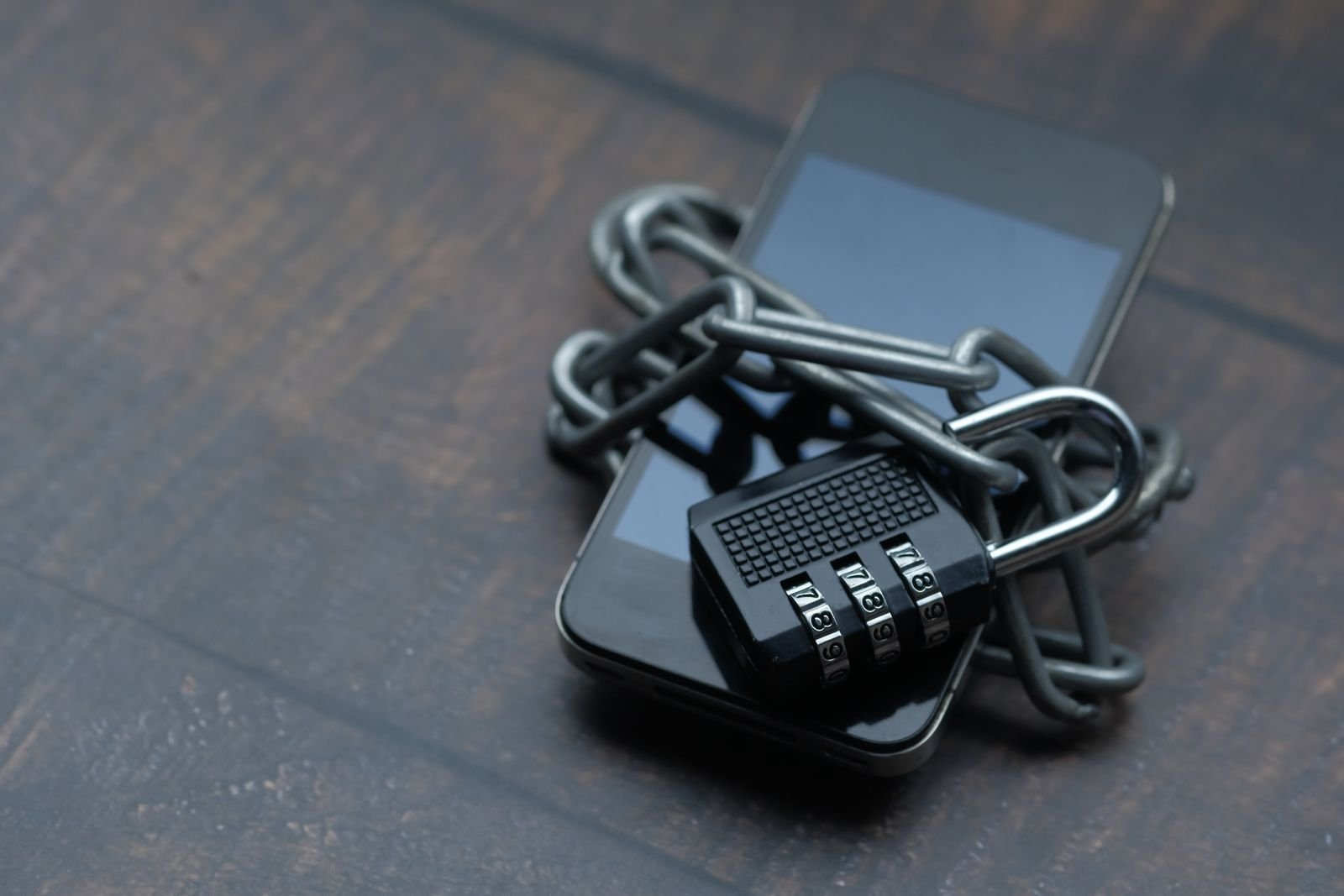
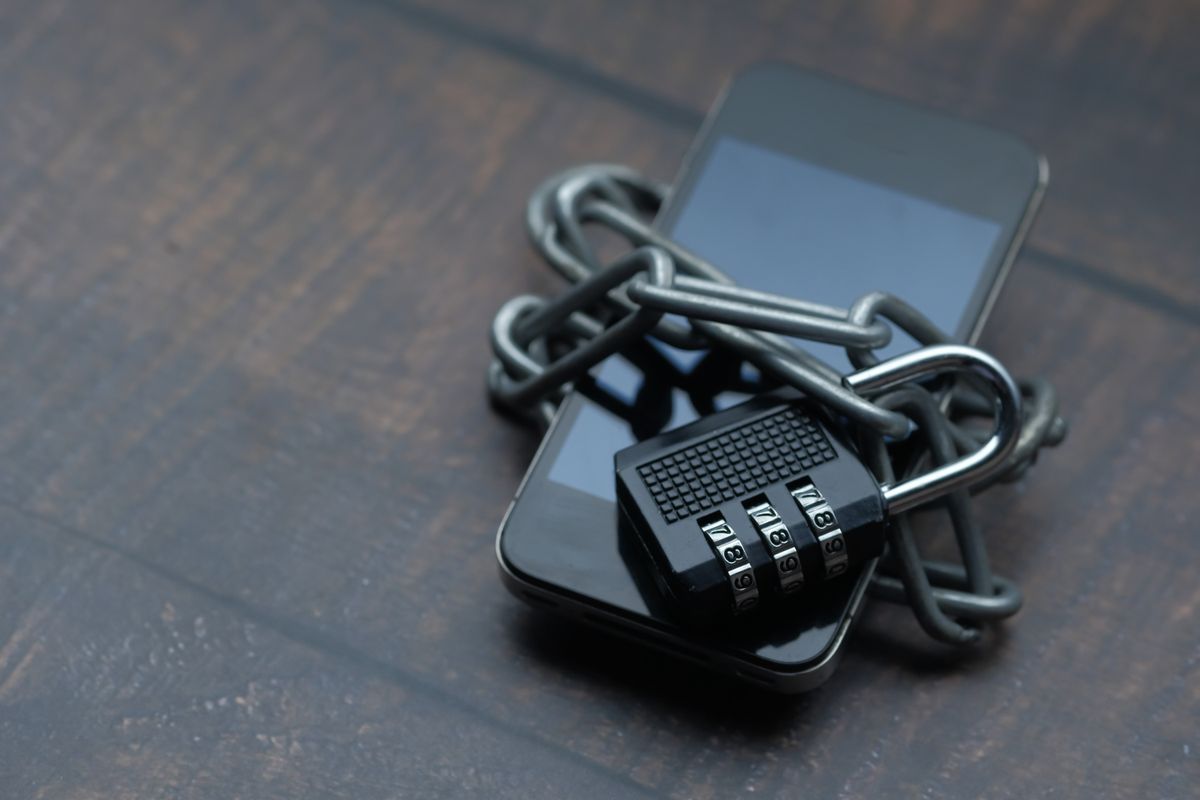
    Phone secured with a lock representing VPN privacy for IPTV streaming
    A VPN adds a layer of privacy to your connection — but it’s not automatically necessary for every IPTV setup.

    What a VPN Actually Does

    A VPN (Virtual Private Network) encrypts your internet traffic and routes it through a separate server, which hides your activity from your internet provider and masks your actual location from websites and services you connect to. It’s a general-purpose privacy tool, not something built specifically for streaming — but plenty of people use it alongside IPTV for exactly that privacy layer.

    Reasons People Use a VPN With IPTV

    General Privacy From Your ISP

    Some people simply don’t want their internet provider seeing what services they connect to, regardless of what those services are. A VPN addresses this broadly, for all your internet activity, not just streaming.

    Avoiding ISP Throttling

    Some internet providers slow down specific types of traffic they detect, including streaming, especially during busy hours. Since a VPN encrypts your traffic, your ISP can’t as easily identify and selectively throttle it — which occasionally results in more consistent speeds, though this varies by provider and isn’t guaranteed.

    Extra Security on Public or Shared Networks

    If you’re streaming over a shared or public Wi-Fi network, a VPN adds a meaningful layer of protection that’s worth having regardless of what you’re streaming.

    Home router network that a VPN connects through for IPTV streaming
    A VPN adds an extra hop between your device and the internet — which is exactly why it can affect speed.

    The Trade-Off Nobody Mentions: Speed

    Every VPN adds at least some overhead, since your traffic is taking a longer, encrypted route instead of the most direct path. For most everyday browsing, this is barely noticeable. For live 4K streaming — already one of the more demanding uses of your connection — it can be the difference between smooth playback and constant buffering, especially with a lower-quality or overloaded VPN server.

    If you’re already dealing with buffering issues, adding a VPN into the mix without understanding this trade-off can make troubleshooting much more confusing. See our full buffering fixes guide if that’s the situation you’re in.

    How to Use a VPN With IPTV Without Hurting Quality

    1. Choose a VPN built for speed, not just privacy features — not all VPN services perform equally for streaming.
    2. Pick a server location close to you geographically, rather than one on the other side of the world, to minimize added latency.
    3. Test with and without the VPN during your normal viewing hours to see the real difference for your specific setup.
    4. Use a wired connection where possible to offset some of the overhead a VPN introduces.

    Do You Actually Need One?

    Honestly, most households don’t strictly need a VPN to use IPTV — it’s an optional privacy and security layer, not a requirement for the service to function. If general online privacy matters to you regardless of streaming, it’s a reasonable tool to have. If your only goal is smooth playback, focus first on your base connection quality, which our hardware guide covers in detail.

    Testing a VPN connection while streaming on a laptop
    Test your actual setup, with and without a VPN, before assuming you need one permanently.

    What We Recommend

    Start your free trial without a VPN first, so you have a clean baseline of how the service performs. If you want to add one afterward for privacy reasons, you’ll be able to clearly tell whether it’s affecting your stream quality, and adjust accordingly.

    Frequently Asked Questions

    Do I need a VPN to use IPTV?No — it’s optional. IPTV works without one; a VPN adds privacy but can affect speed.

    Will a VPN slow down my IPTV stream?It can, since it adds an extra encrypted routing step — the impact depends on the VPN’s quality and server location.

    What’s the best way to test if a VPN is right for my setup?Compare your stream with and without it active, during your normal peak viewing hours.

    Does EyeIPTV require a VPN?No — our service works normally without one; it’s entirely your choice.

    The Bottom Line

    A VPN and IPTV can absolutely work together, but it’s an optional privacy layer with a real speed trade-off, not a requirement. Test your setup both ways, choose a VPN built for streaming performance if you go that route, and make the decision based on what you actually observe — not assumptions.

    Test your setup with a clean baseline first.
    Start a free trial on WhatsApp →

    EWritten by the EyeIPTV Team
    We help customers weigh this trade-off honestly every week — kept current as of August 2026.

  • AI and the Future of IPTV: What’s Actually Changing in 2026

    AI and the Future of IPTV: What’s Actually Changing in 2026

    Updated August 2026 · 8 min read

    AI gets attached to every industry’s marketing these days, streaming included, and it’s fair to be a little skeptical about how much of it is real versus buzzword. So let’s separate what’s actually changing in IPTV because of AI from what’s just a label slapped on features that already existed.

    Smart connected home technology representing modern streaming
    Some of this is genuinely useful. Some of it is just a new label on old features.

    What’s Actually Real Right Now

    Smarter Recommendations

    This is the most mature and genuinely useful application — systems that learn your household’s viewing patterns and surface content more relevant to you specifically, rather than a generic popular list everyone sees. It’s a real improvement in day-to-day usability, even if it’s not flashy.

    Adaptive Streaming Quality

    Better systems can now adjust quality in real time based on your specific connection conditions more intelligently than older, cruder methods — reducing buffering without you noticing a drop in quality happened at all.

    Smarter Search

    Being able to describe what you want in natural language, rather than scrolling through menus, is becoming genuinely more common and genuinely more useful, especially for larger content libraries.

    Exploring modern streaming technology and interfaces
    Better search and recommendations are the most genuinely useful changes so far.

    What’s Mostly Marketing Language

    Not every “AI-powered” claim represents a meaningful change. Basic features that have existed for years sometimes get relabeled without much actually being different underneath. When evaluating a provider, focus on whether a specific feature demonstrably improves your experience — not whether it’s marketed with the right buzzword.

    What This Means for Choosing a Provider

    Don’t choose based on AI claims alone. The fundamentals still matter most — a stable connection, honest pricing, and real support. Any genuinely useful AI feature should feel like a nice bonus on top of those fundamentals, not a replacement for them.

    Family enjoying a reliable streaming experience at home
    The fundamentals still matter more than any new feature layered on top.

    Where We Stand on This

    We’d rather get the basics right — real trials, transparent pricing, guided setup, responsive support — than chase every new feature label. If and when something genuinely improves the experience, we’ll add it. Until then, judge us on how the actual service performs, not on buzzwords.

    Frequently Asked Questions

    Is AI actually changing IPTV, or is it just marketing?Both — recommendations and adaptive streaming are genuinely improving, but not every “AI-powered” claim represents a real change.

    Should I choose a provider based on AI features?No — prioritize the fundamentals (reliability, pricing, support) first.

    What’s the most useful AI feature right now?Smarter content recommendations based on actual viewing habits tend to be the most immediately useful.

    The Bottom Line

    Some AI-driven changes in streaming are genuinely useful; plenty of others are just new packaging on old features. Judge any provider on the fundamentals first, and treat flashy feature claims as a bonus, not a reason on their own.

    Judge us on how it actually performs.
    Start a free trial on WhatsApp →

    EWritten by the EyeIPTV Team
    We’d rather nail the fundamentals than chase every new buzzword — kept current as of August 2026.

  • Which IPTV Plan Fits Your Household? A Quick Decision Guide

    Which IPTV Plan Fits Your Household? A Quick Decision Guide

    Updated August 2026 · 8 min read

    Every household is different, and the right IPTV plan for a single person living alone looks nothing like the right plan for a family of five with different schedules and screens. Rather than a generic recommendation, here’s a quick decision framework based on how your household actually watches.

    Family deciding on a streaming plan together
    The right plan depends on how your household actually watches, not a one-size-fits-all guess.

    Start With One Question

    How many people in your household realistically stream at the exact same time on a normal evening? Not how many people live there — how many are actually watching something different, simultaneously, on a typical night.

    If the Answer Is One

    A standard single-connection plan is all you need. Focus your decision on plan length instead — start with a shorter term if you’re still deciding how long you’ll stick with the service.

    If the Answer Is Two

    This is where you need to explicitly confirm your simultaneous connection count with your provider — don’t assume a “devices” number means you can watch two different things at once. Ask directly.

    Multiple household members watching different content
    Two or more simultaneous viewers changes what you need to ask for specifically.

    If the Answer Is Three or More

    A household or multi-connection plan is worth it. See our full guide on setting up IPTV for families for how to configure this without the “who’s hogging the connection” arguments.

    Other Factors Worth Weighing

    • Different devices, not just different people. A TV, a tablet, and a phone all being used at once counts, even if it’s the same person switching around.
    • Peak viewing overlap. A household where everyone watches at wildly different times has different needs than one where everyone’s online 7-9pm nightly.
    • Plan length confidence. Larger households benefit more from testing thoroughly first, since more people are relying on it working well.
    Group watching together, representing shared household streaming
    A little planning upfront saves a lot of “wait, why did it freeze” moments later.

    Not Sure Where Your Household Fits?

    Message us with a quick description of your household — how many people, what devices, roughly when everyone watches — and we’ll recommend the right plan honestly, rather than defaulting to the most expensive option.

    Frequently Asked Questions

    How do I know if I need a household plan?Count how many people realistically stream different things at the same time on a normal evening.

    Can I start smaller and upgrade later?Yes — most providers, including EyeIPTV, let you adjust as your needs change.

    Where can I get a personal recommendation?Message us on WhatsApp with your household details.

    The Bottom Line

    The right plan comes down to one honest question about your household’s real viewing habits, not guesswork. Answer it accurately, and the right choice becomes obvious.

    Get a plan recommendation for your household.
    Ask us on WhatsApp →

    EWritten by the EyeIPTV Team
    We match households to the right plan every day, not just the biggest one — kept current as of August 2026.

  • IPTV Reliability: How to Spot a Stable Service

    IPTV Reliability: How to Spot a Stable Service

    Updated August 2026 · 8 min read

    Reliability is the single biggest factor separating a provider people stick with for years from one they abandon after a month. Unlike price or channel count, it’s hard to judge from a landing page — you mostly find out the hard way. Here’s how to actually assess it before you’re stuck with a bad answer.

    Stable home network infrastructure supporting consistent streaming
    Reliability isn’t visible in an ad — it shows up during your busiest evening.

    What “Reliability” Actually Means

    It’s not one thing — it’s a combination of server uptime, how the service performs under peak load, how quickly issues get fixed when they happen, and whether the provider is still operating a year from now. Any one of these being weak can undo an otherwise good experience.

    Signs of a Stable, Trustworthy Provider

    • They offer a real trial. Confidence in stability shows up as willingness to let you test it.
    • Support responds quickly, even before you’ve paid. This is a strong predictor of what happens after you’re a customer.
    • Pricing and terms are consistent and clear, not vague or constantly changing.
    • They’re upfront when something isn’t perfect, rather than promising flawless everything.
    Evaluating a checklist of reliability signals before subscribing
    A few honest signals tell you more than any marketing claim.

    Warning Signs Worth Taking Seriously

    • No trial offered at all, or a trial that requires card details upfront
    • Prices that seem dramatically lower than everything comparable
    • Slow or evasive responses to direct questions before you’ve paid
    • No clear way to reach support once you are a customer

    Any one of these alone isn’t necessarily disqualifying, but two or more together is a real pattern worth taking seriously.

    How to Actually Test Reliability Yourself

    Don’t just check if it plays once. Test during your household’s busiest hours, on the device you’ll actually use daily, over several days rather than a single quick look. This is exactly what a proper free trial period is for.

    Testing a streaming service during normal household viewing time
    Test it the way you’ll actually use it — busy evenings, real devices, several days.

    What We Do Differently

    We’d rather you test thoroughly and stay for years than sign up quickly and leave in a month. That’s why every EyeIPTV trial is genuinely unpressured — take the time you need, and message us directly with any concerns before or after subscribing.

    Frequently Asked Questions

    How can I judge reliability before subscribing?Test thoroughly during a free trial, over several days, during your actual peak hours.

    What’s the biggest red flag to watch for?No trial offered, or one that requires card details upfront.

    Does fast pre-sale support really predict good service?Yes — it’s one of the most reliable indicators of what support will be like after you’re a customer.

    The Bottom Line

    Reliability can’t be judged from a landing page — it has to be tested. Use the signals above, test thoroughly during a trial, and trust what you actually experience over what’s promised.

    Test it thoroughly, with zero pressure.
    Start a free trial on WhatsApp →

    EWritten by the EyeIPTV Team
    We’d rather earn trust slowly than promise it upfront — kept current as of August 2026.